
Highlight
Enhancement of AI Scout – Support for translations and task descriptions
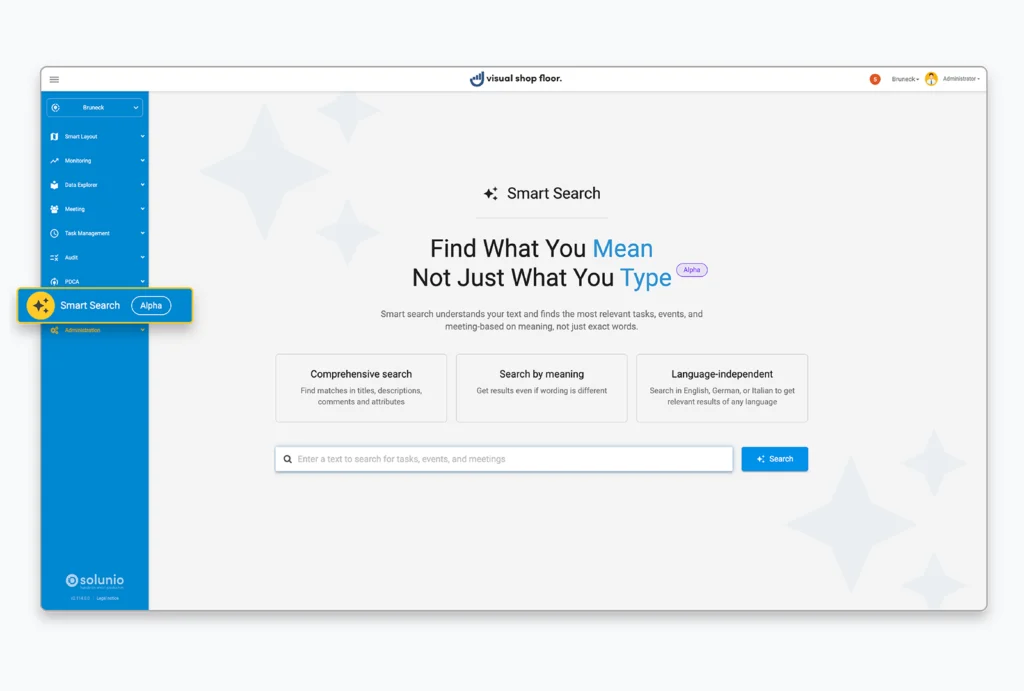
With the previous version, AI Scout was introduced as the new AI assistant in Visual Shop Floor. It helps users find information faster and more efficiently, while also simplifying administration as well as the creation and maintenance of content.
The current update builds on this foundation and further enhances AI Scout in a targeted way. The following features make both the use of Visual Shop Floor and the administration and maintenance of content even easier.
Multilingual support through automatic content translation
Visual Shop Floor is designed for use in medium-sized and large industrial companies. Multilingual capability is therefore a key prerequisite for cross-site and cross-country use.
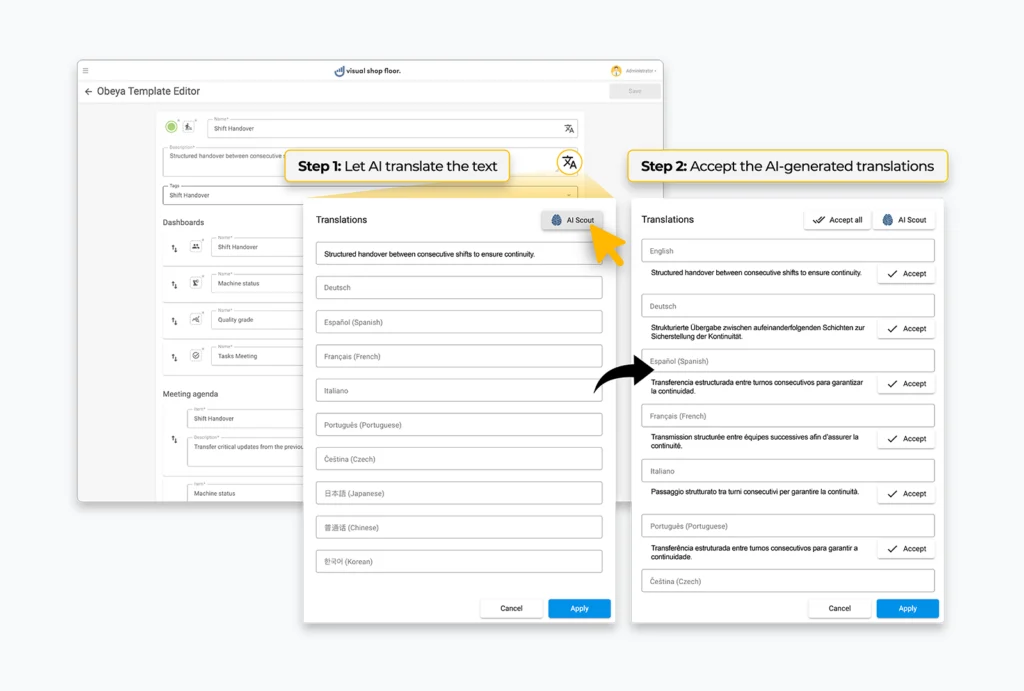
To simplify the maintenance of translations in multiple languages, AI Scout is now available as a supporting tool. Using the “AI Scout” button, texts can be translated automatically. The translation suggestions are tailored as precisely as possible to the application domain of Visual Shop Floor.
With just one click, AI Scout generates suggestions for all languages activated in the system. The user can then review the proposed translations and apply them with another click.
This makes it possible to transfer content into multiple languages quickly, consistently, and with significantly less effort. For administrators, this noticeably reduces the time required to maintain multilingual content.
Simple and precise task descriptions
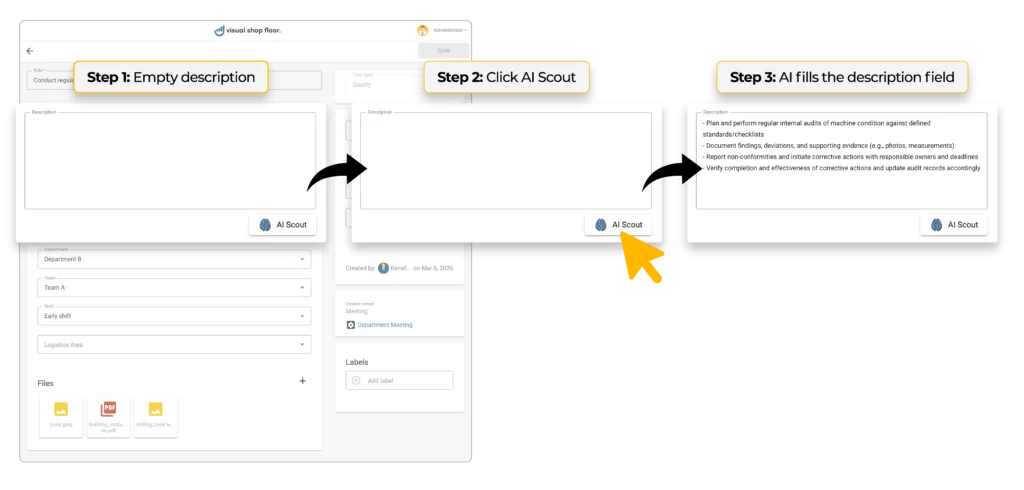
A clear and precise description of tasks is essential for effective team communication and sustainable execution. AI Scout provides targeted support to users in creating and refining task descriptions.
Bullet point inputs can be automatically transformed into structured, easy-to-understand descriptions and further optimized in terms of content. Alternatively, descriptions can be generated entirely from scratch based on the task type and available information such as title, comments, and attributes.
In doing so, AI Scout takes all available context into account and produces a highly accurate description that enables quick understanding and efficient handling of the task.
More features
Enhancement of the Event Table Widget – Export and flexible sorting
Event handling in Visual Shop Floor provides an essential foundation for recording and systematically tracking events in shop floor management. It enables events in production and logistics to be captured without gaps, displayed transparently, and used as a basis for deriving and tracking targeted actions.
The Event Table Widget plays a central role in this process. It allows defined events to be integrated into dashboards in a targeted way and helps employees maintain an overview and set priorities.
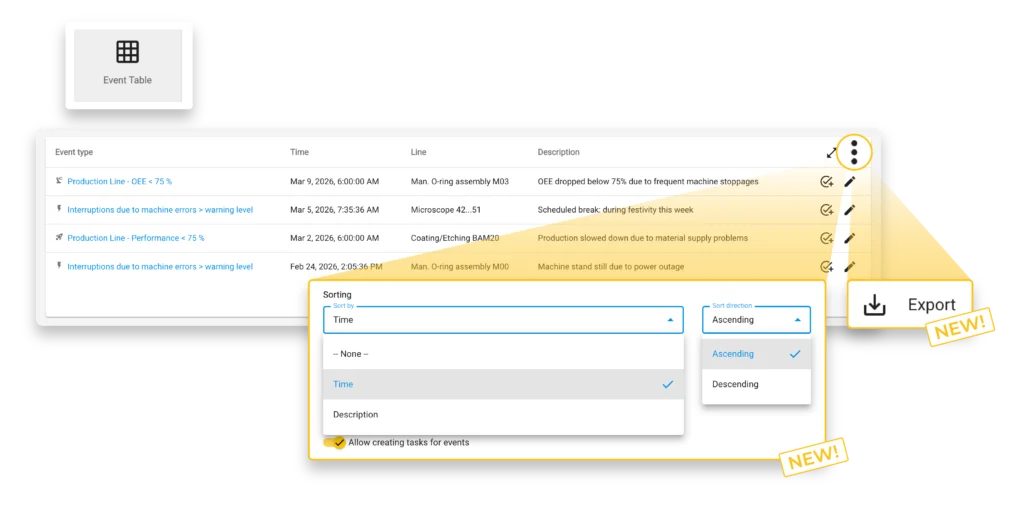
With the new version, the Event Table Widget has been functionally enhanced. Events can now be exported directly from the widget as a CSV file. This makes it easy to download relevant information from the system and use it, for example, for analysis in third-party systems, documentation purposes, or sharing with team members.
In addition, the sorting function has been expanded. Alongside the existing options, events can now also be sorted in ascending or descending order by “Timestamp” and “Description.” This makes it possible to arrange entries chronologically or alphabetically and retrieve them more effectively depending on the use case.
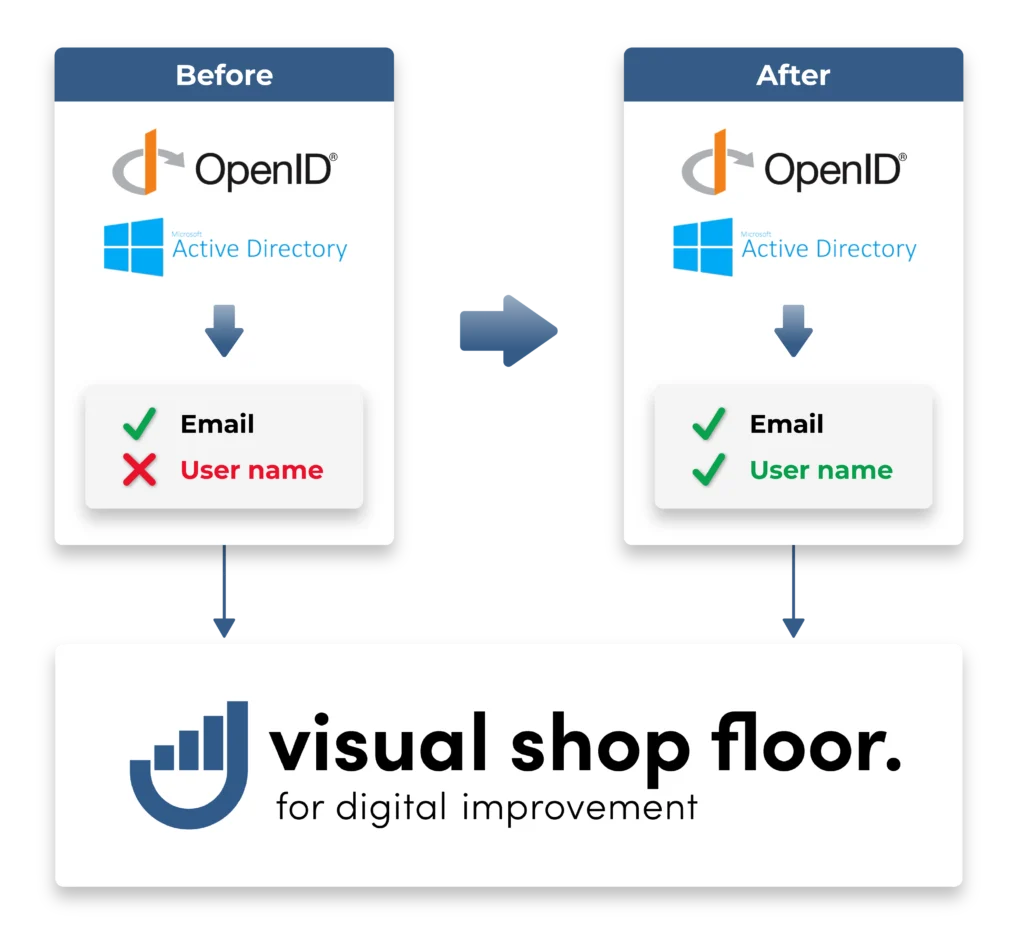
Enhancement of user synchronization for Active Directory and OpenID Connect