Digital signatures for greater accountability in audits
Process Audits in Visual Shop Floor help companies review their processes on a regular basis and ensure that defined rules, regulations, and standards are being followed. Potential deviations can be identified at an early stage and addressed before they have an impact on processes or products.
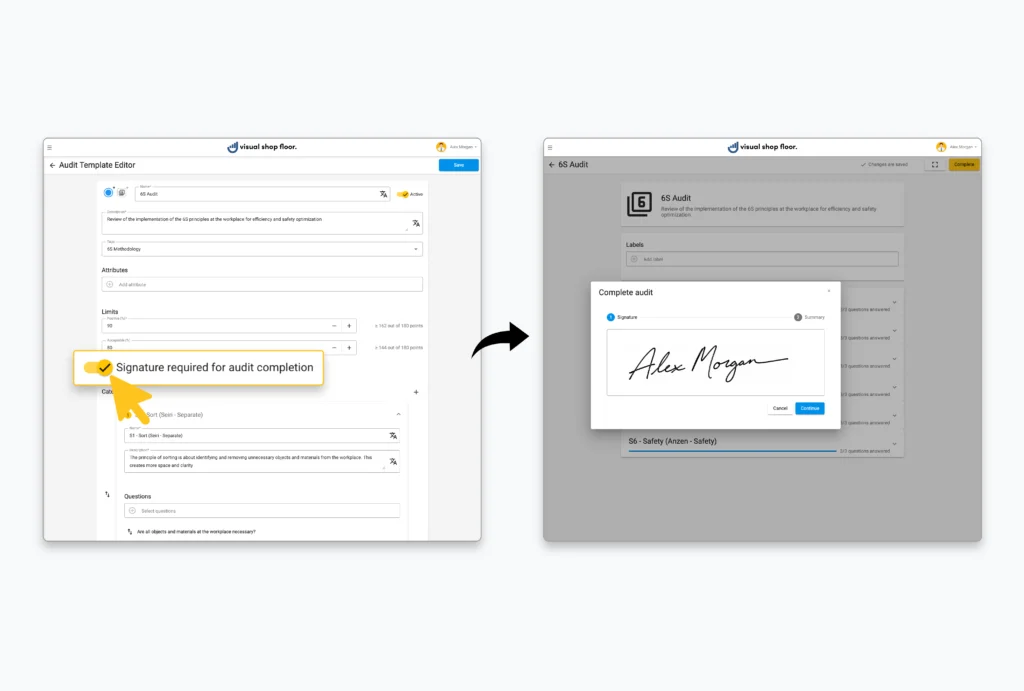
With the latest update, the audit functionality has been enhanced with an important new feature: audits can now be signed digitally. This enables an additional approval step that documents both the execution and completion of audits in a transparent and traceable way.
The signature feature can be flexibly enabled or disabled in the audit templates. When activated, a digital signature becomes mandatory when completing an audit. The responsible person confirms directly in the system that all checks have been carried out and that all relevant items have been reviewed, processed, and completed.
The digital signature is automatically included in the PDF audit report and permanently documented there. This creates a clear and traceable confirmation of the audit completion, which can be viewed again at any time.
With this enhancement, audits can be adapted even more precisely to individual requirements. The digital signature provides a binding conclusion to the audit process and increases the traceability of completed audits. Responsibilities are documented transparently, and completed audits can be clearly verified at any time.
Greater transparency through completion dates in task tables
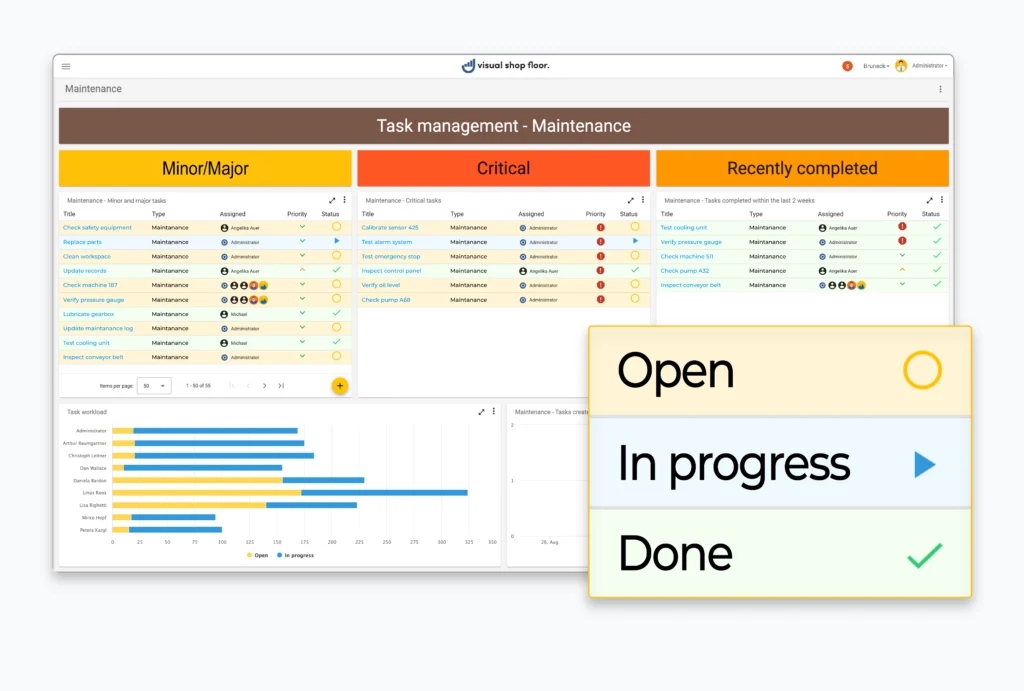
The Task Table Widget is a central component of dashboards in Visual Shop Floor. It helps teams manage tasks in a structured way, clearly display responsibilities, and keep track of the current implementation status at all times.
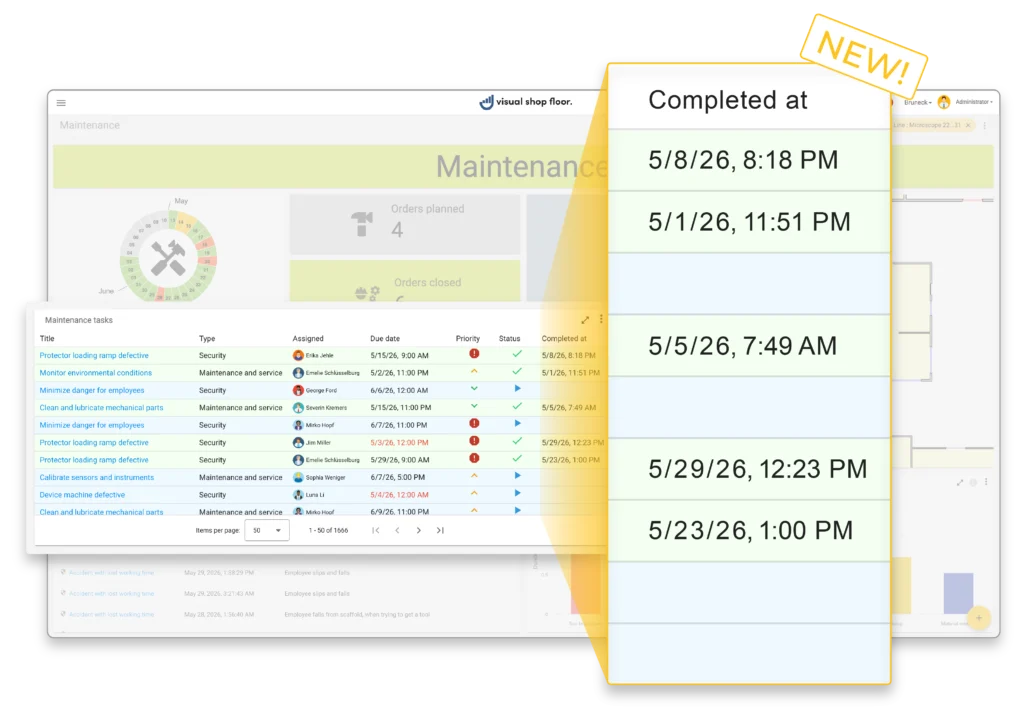
With the latest update, the task table can be expanded with an additional “Completion Date” column. This makes it visible not only which tasks have already been completed, but also when each task was actually completed. In addition, the table can be sorted by completion date – either manually or using a predefined default sorting.
With this enhancement, the Task Table Widget becomes even clearer and more informative. Completed tasks can be placed in a better chronological context, progress can be evaluated more precisely, and task lists can be adapted more flexibly to different use cases. This creates greater transparency regarding the implementation of measures and their development over time.
Image Widget with additional integration via web server
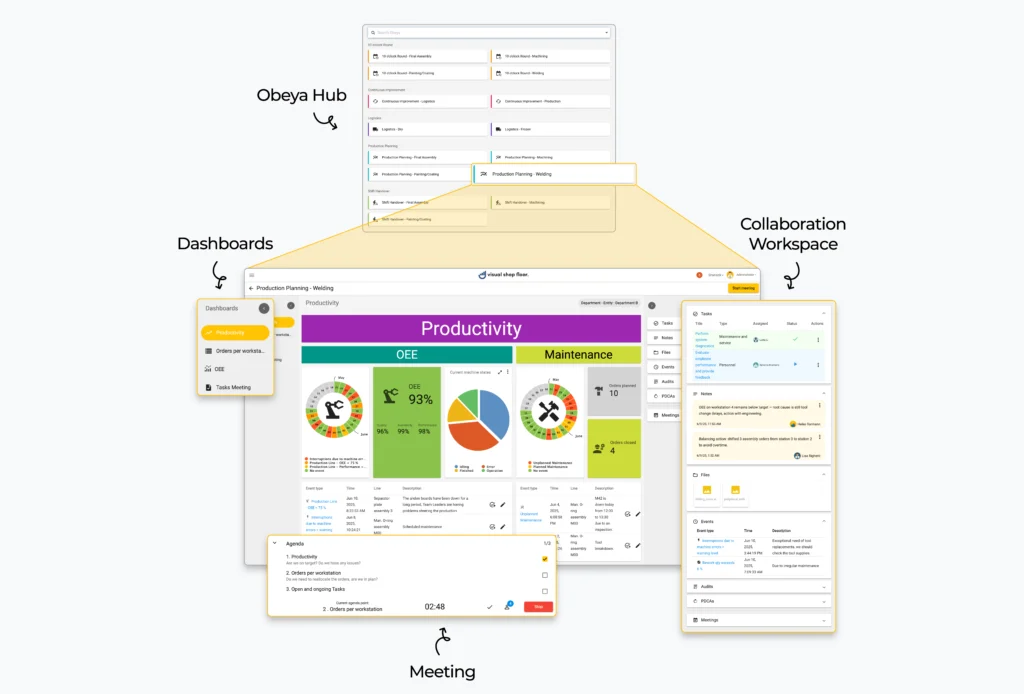
The Image Widget provides visual content in the form of images directly on dashboards and shop floor boards. Typical use cases include workplace standards, 5S visualizations, safety information, process flows, or organizational information for teams. This allows important content to be displayed clearly and made available directly at the point of use.
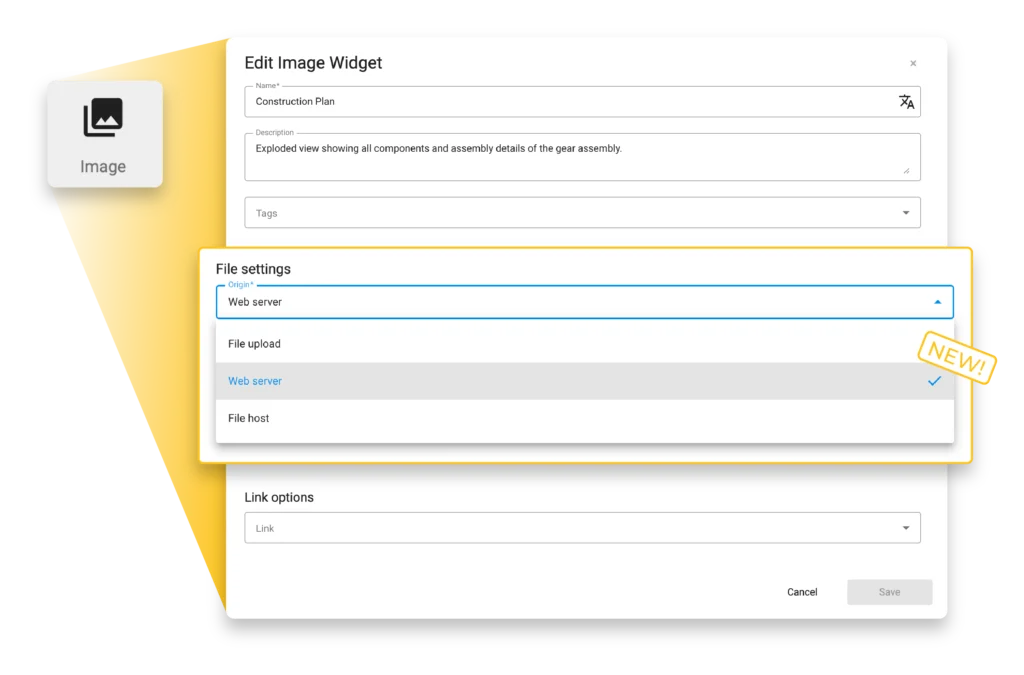
With the latest update, images can now be integrated from an additional source. In addition to direct upload or integration via a file host, images can now also be embedded using the URL of a web server.
This allows images to be provided centrally via a web server and displayed directly in the Image Widget. Updates made at the source are automatically reflected in existing dashboards, without the need to embed images again or update them manually.
With this enhancement, the provision of visual information becomes even more flexible. Regularly updated content can be maintained centrally and made available directly in shop floor management without any additional effort. This ensures that users always have access to up-to-date visual information.
Consistent colors in the audit monitor
In the audit monitor, individual audits were occasionally displayed with colors that did not consistently match their respective audit type. This issue has been resolved, ensuring a uniform and consistent color scheme throughout the audit monitor.
Improved scrolling in audit selection
Under certain conditions, users experienced limitations when scrolling through the list of available audits in the audit selection dialog. The scrolling behavior has been improved, providing smoother and more reliable navigation within the selection list.
Consistent attribute sorting
When selecting attributes, entries were not always displayed in a consistent order. This mechanism has been revised, and attributes are now displayed in a consistent alphabetical order throughout the application.